


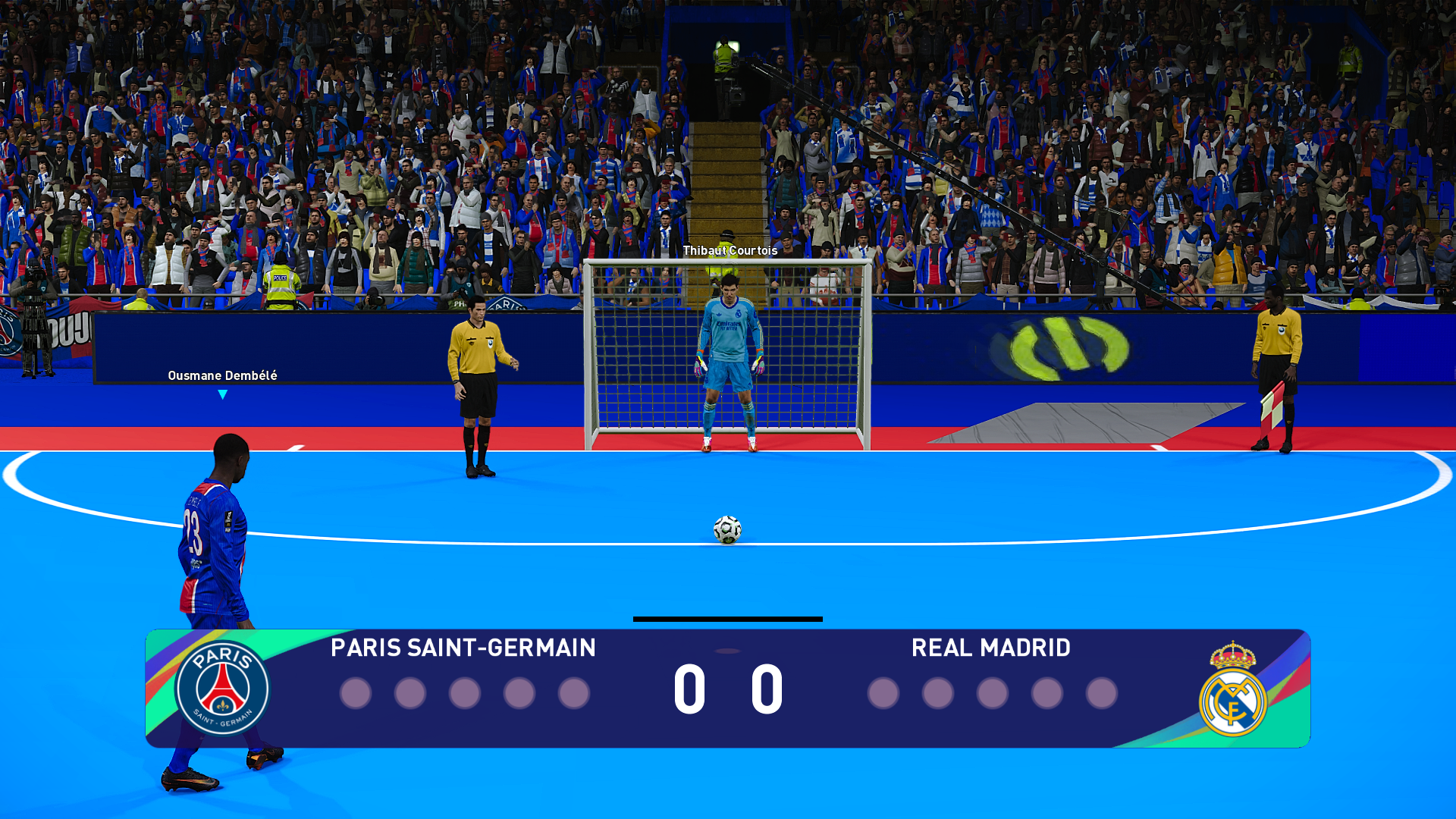
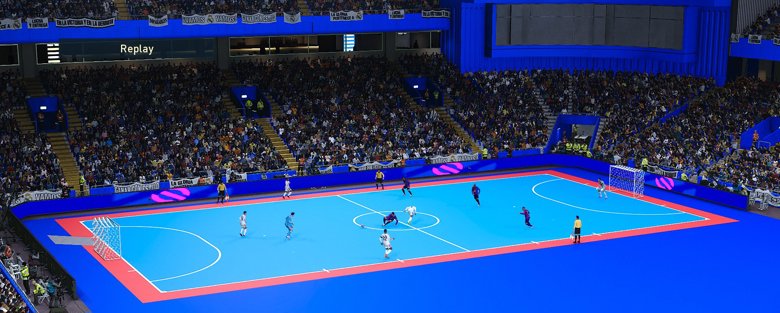
PES 2021 eFutsal by ARL Board brings five-a-side indoor football to eFootball PES 2021 Season Update (PC). Matches take place on a 40 × 20 m court at Rose Park Stadium. You can pick your players in Game Plan, just as you would for an 11-a-side match. The mod runs through Sider and leaves 


PES2021.exe and the original game files intact.
Menu
Ẩn/Hide
1. eFutsal Features
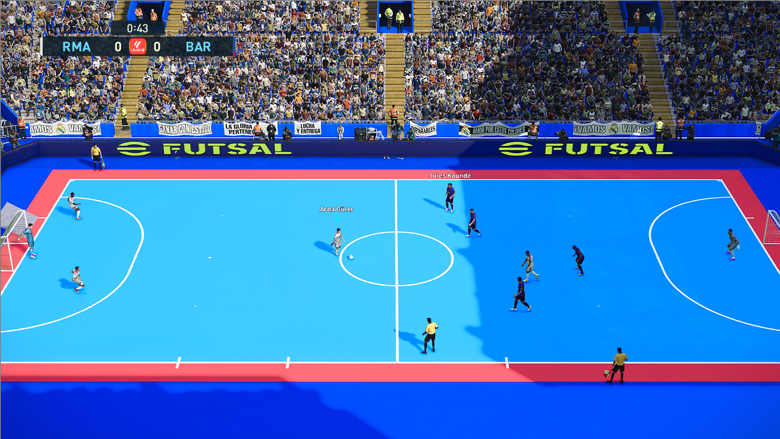
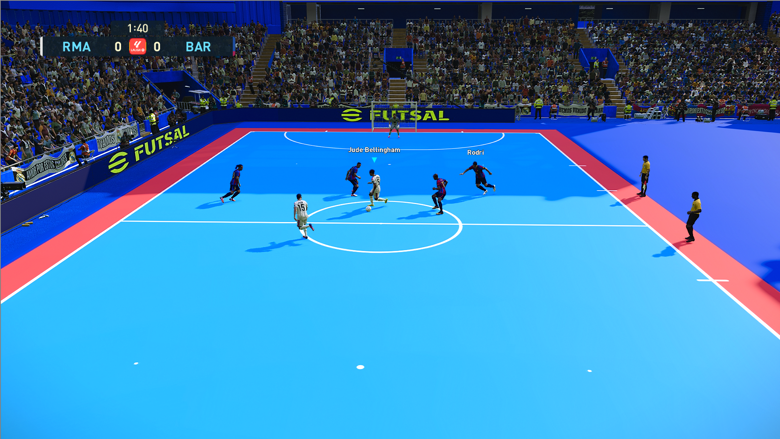
- Five-a-side with a 1–2–1 formation. Each team has one goalkeeper and four outfield players. When overall ratings are available, the mod selects the highest-rated defender, two midfielders and one forward from their respective groups in the starting lineup.
- A futsal court at Rose Park Stadium. The 40 × 20 m court has futsal markings, 3 × 2 m goals and boards on all four sides. The ball can rebound into play off the boards.
- Futsal rules and shooting. Offside is disabled. You can shoot from your own half, and both the player-controlled team and the CPU can hit low-driven shots.
- Free kicks and corners tuned for the smaller court. A one- or two-player wall stands 5 m from the ball. Corner deliveries are adjusted to bring the ball into the area in front of goal.
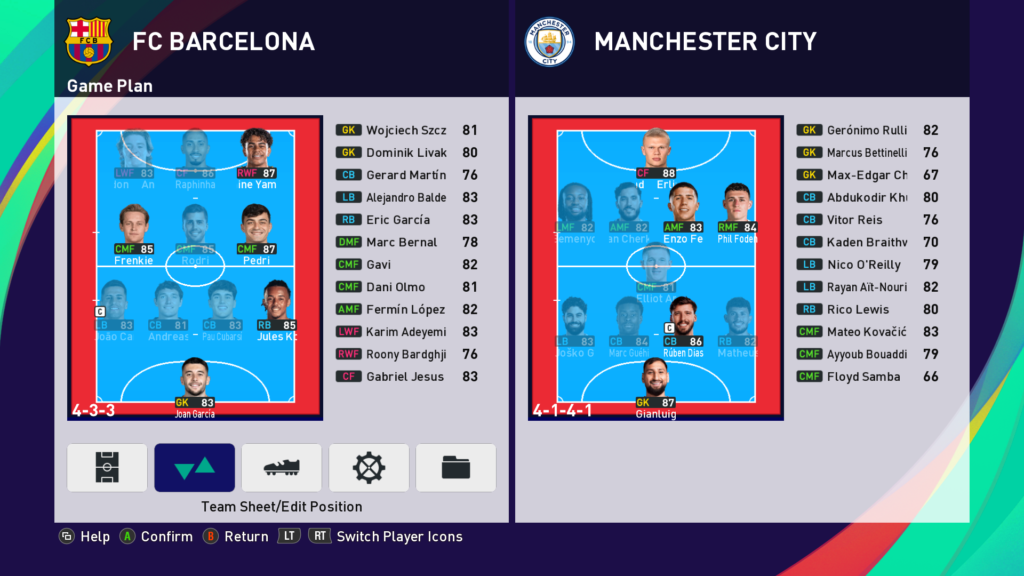
- See who is playing in Game Plan. The five active players’ portraits and cards stay bright. The other six starters appear dimmed and remain selectable. You can make lineup changes and substitutions as usual.
- Crash protection for short-handed teams. The mod includes safeguards against some crashes in matches with fewer than 11 players per side.
2. Standard Download – eFutsal for PES 2021 and Football Life
The updated eFutsal.rar archive is about 74.5 MB. It contains the court assets inlivecpk\efutsal, the modules\efutsal.lua module, screenshots and documentation.
- CaoCacao Drive Download Now!
2*. Fast & Ad-Free Download
This Content Is Only For Subscribers
Please subscribe to unlock this content.
- CaoCacao Drive Download Now!
3. How to Install eFutsal
Use Sider 7.3.0 or later and make sure Rose Park Stadium (ID 42) is available in your game. The mod uses that stadium for the court, goals and boards. Sider 7 documentation by juce- PES 2021. Open the Sider folder your game uses. It contains
sider.ini. - Football Life. Open the folder that contains
sider.inifor your installation. In Football Life 2027, this is usuallySiderAddons. Some features depend on the version of the game executable.
a. Copy the Court Assets and Module
- Close the game and Sider, then back up
sider.ini. If you have an older futsal mod installed, remove its entries fromsider.ini, including thefutsal.luaentry and any court or menu paths added for that mod. - Extract
eFutsal.rar. Open the extractedeFutsalfolder and copylivecpkandmodulesinto the folder that containssider.ini. Check thatlivecpk\efutsalandmodules\efutsal.luaare in the right places under the Sider folder. - If you have a
player_ovr.binratings file, place it inefutsal_log\player_ovr.binunder your Sider folder. The archive linked here does not include this file. Without ratings data, the mod selects players by their order within each position group.
b. Add Two Lines to sider.ini
Insider.ini, make sure both Lua settings are set to 1.
lua.enabled = 1
luajit.ext.enabled = 1cpk.root line alongside your stadium paths and the lua.module line alongside your other Lua modules, then save the file.
cpk.root = ".\livecpk\efutsal"
lua.module = "efutsal.lua"
4. Start a Match and Change Players
- Launch PES 2021 or Football Life with Sider. Go to Kick Off, pick two teams and select Rose Park Stadium (ID 42).
- Start the match. Both teams switch to 5v5 automatically. To change your lineup, open Game Plan and swap players between bright and dimmed slots. A player moved into a bright slot takes the court.
- To open the optional Sider panel, press Space, then press 1 until you reach EFUTSAL, using the default Sider key bindings.
| Key | Action in the EFUTSAL Panel |
|---|---|
| Page Up / Page Down | Move through the player list. |
| F8 | Switch a player between PLAYS and OUT. Mark the outgoing player OUT first, then bring in the replacement. |
| F9 | Switch between the home and away team lists. |
| Home | Turn eFutsal on or off for the next match setup. |
| End | Toggle assistant referee positioning along the futsal touchlines. |
5. Troubleshooting and Disabling the Mod
If you still have 11 players per side or the court looks wrong, check the stadium selection, the two configuration lines andefutsal_log\efutsal_log.txt in your Sider folder. The line efutsal: v9.4 ready confirms that the module in this package has loaded. If a feature is marked NOT active, it has not been enabled on your current game executable.
To return to 11v11, close the game and Sider, remove the two eFutsal cpk.root and lua.module entries from sider.ini, then relaunch the game.
See also the Football Life 2027 download and installation guide.